
 By kazimladimeji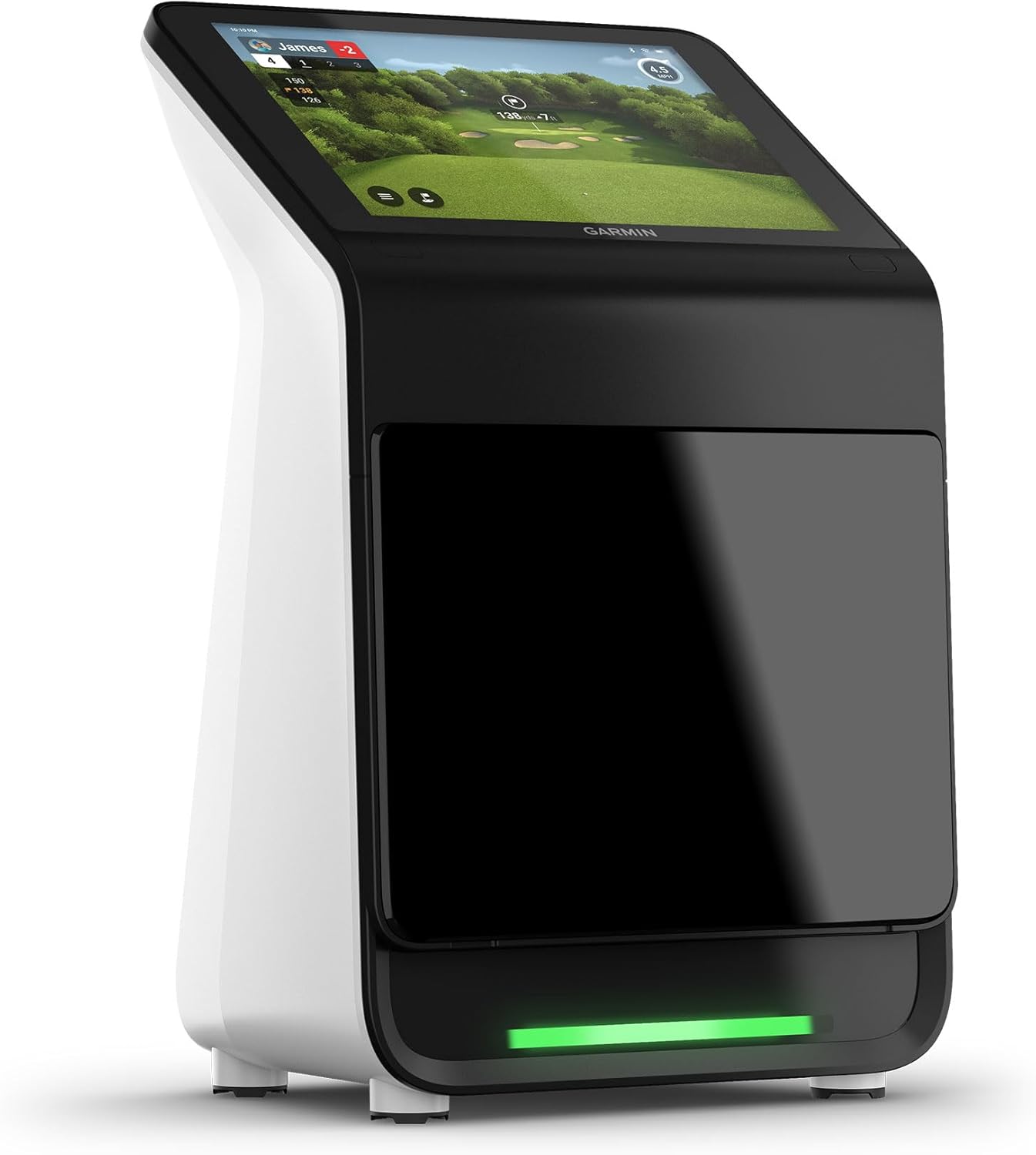
The Garmin Approach R50 is one of the most advanced all-in-one launch monitors available today — combining high-precision ball and club tracking with a built-in 10-inch HD touchscreen and full simulator capabilities. Whether you’re creating a home golf simulator or want tour-level feedback on the driving range, the R50 offers a powerful, portable, and highly intuitive upgrade over both the R10 and competing mid-range monitors.
Below is a complete review of the R50, including features, setup, performance, pros and cons, and who this premium launch monitor is best suited for.
Buy Garmin Approach R50 on Amazon
What a Launch Monitor Does — And How It Improves Your Game
 A launch monitor measures what happens at impact and during the ball’s flight. The R50 uses triple high-speed cameras and advanced software to track:
-
Ball speed
-
Clubhead speed
-
Launch angle
-
Spin rate & spin axis
-
Attack angle
-
Club path
-
Face angle
-
Smash factor
-
Carry distance
-
Total distance
-
Shot dispersion
-
Apex height
This data instantly makes practice more purposeful. You can:
✔ Build accurate yardage charts
✔ Fix slices, hooks, and poor contact
✔ Optimise spin and launch for every club
✔ Measure improvement over time
✔ Play simulator rounds at home
✔ Practise all year, rain or shine
In short: a launch monitor replaces guesswork with precision.
Buy Garmin Approach R50 on Amazon
Key Features of the Garmin Approach R50
1. 10″ Built-In Colour Touchscreen
The R50’s standout feature is its large, bright touchscreen — no phone, tablet, or laptop required. Set up sessions, view metrics, and run full sim rounds directly from the device.
Buy Garmin Approach R50 on Amazon
2. Triple High-Speed Cameras
Three advanced cameras analyse both ball and club, offering elite-level accuracy without requiring a radar setup or huge indoor space.
3. 15+ Measured Metrics
Including club path, face angle, spin axis, and other data normally reserved for high-end systems.
4. Home Tee Hero Simulator
Access 43,000+ virtual golf courses (subscription required). Perfect for winter training or home setups.
5. Impact Video Replay
Capture and replay your impact position in slow motion — an excellent tool for checking contact quality.
6. HDMI Output + Wi-Fi
Project data onto a TV or projector instantly. Wi-Fi also keeps the device updated with the latest software.
7. Portable, Durable & Indoor-Friendly
The R50 works in tight indoor spaces thanks to camera tracking (rather than radar). It includes a protective carry case and is IPX3 rain-resistant.
How to Set Up the Garmin R50 (Properly)
1. Place on a stable, level surface
Cameras need a flat surface for accurate calibration.
2. Apply club-tracking stickers
Included in the box. Required for face/path metrics.
3. Align the R50 with your target line
Proper alignment is essential for dispersion accuracy.
4. Choose your mode
-
Training mode for deep dive swing data
-
Play mode for simulator golf
-
Range mode for quick sessions
5. Use HDMI for a bigger screen
Great for home simulators or garage setups.
6. Save sessions and track trends
Gain meaningful insights into progress and consistency.
Buy Garmin Approach R50 on Amazon
Performance & Accuracy
The R50 is consistently praised for its:
✔ Strong accuracy indoors and outdoors
Thanks to camera-based tracking rather than relying on radar distance.
✔ Excellent club data
Attack angle, path and face angle readings are notably solid for the price segment.
✔ Simple, intuitive user interface
The touchscreen makes setup faster than radar-based systems requiring phones/tablets.
✔ High-quality visuals & simulator integration
Great for building a home simulator without additional control devices.
Some users note:
-
Spin axis numbers may vary slightly compared to top-end systems
-
Battery life (approx. 4 hours) is fine for sessions but not full-day coaching
-
Stickers are required for full club metrics
But overall, for the price range, the R50 performs exceptionally well.
Buy Garmin Approach R50 on Amazon
Pros & Cons
⭐ Pros
-
Large, built-in 10″ touchscreen
-
Precision ball & club tracking via triple cameras
-
Works brilliantly indoors
-
Built-in impact video
-
Massive simulator course library
-
Clean UI, fast setup
-
HDMI output
-
Portable and water-resistant
⚠ Cons
-
Requires stickers for some club data
-
Subscription needed for full simulator access
-
Shorter battery life than smaller radar units
-
High-end spin accuracy not on par with devices 3–4× the price
Buy Garmin Approach R50 on Amazon
Who Should Buy the Garmin R50?
Perfect for:
-
Players building a home golf simulator
-
Golfers wanting in-depth swing analytics
-
Coaches and teaching pros
-
Tech-focused golfers upgrading from basic monitors
-
R10 users wanting a premium, all-in-one upgrade
You may prefer something else if:
-
You want ultra-precise spin metrics (consider SkyTrak+)
-
You need all-day battery life
-
You want a low-cost unit (consider Garmin R10 or PRGR)
Buy Garmin Approach R50 on Amazon
Final Verdict
The Garmin Approach R50 is one of the best all-in-one launch monitor and simulator systems available in its price range. With exceptional data coverage, a huge touchscreen, and seamless simulator integration, it’s perfect for golfers who want a premium yet portable system without needing separate tablets or PCs.
If you want a professional-grade practice and simulator experience at home — without the complexity — the R50 is absolutely worth it.
Buy the Garmin Approach R50
Recommended Retailer (Amazon UK)
Buy Garmin Approach R50 on Amazon