
 By kazimladimeji
 If you’re looking for an affordable way to bring golf-simulator accuracy to your home or driving-range sessions, the Garmin Approach R10 is one of the most popular options on the market. Portable, easy to set up, and packed with data-tracking features, it has quickly become the go-to choice for golfers wanting to improve for less than the cost of a premium TrackMan or GCQuad.
This guide gives you a full review of the Garmin Approach R10, compares it with top contenders like the PRGR, Voice Caddie SC300i, and Garmin G80, and includes a simple section on how to set up the R10 correctly for accurate numbers.
Buy the Garmin Approach R10 (Base Model)
What a Launch Monitor Does — And Why It Can Transform Your Game
 A golf launch monitor uses radar or camera-based tech to track how the ball and club move at impact. Even compact models like the R10 can measure:
-
Ball speed
-
Clubhead speed
-
Launch angle
-
Spin rate (backspin & sidespin)
-
Apex height
-
Carry distance
-
Total distance
-
Shot shape
-
Club path metrics (R10 only)
This data helps you:
✔ Understand your real distances
No more guessing. Build accurate yardage charts for every club.
✔ Identify swing flaws
Spot slices, hooks, low launch, poor contact… and fix them faster.
✔ Track improvement
Monitor speed gains, consistency, and dispersion trends over time.
✔ Practise with purpose
Simulators and range-modes turn aimless hitting into measurable practice.
✔ Train indoors
Rain, wind or winter — still get reps in with a net at home.
Buy the Garmin Approach R10 (Base Model)
Garmin Approach R10 — Key Features
The Garmin Approach R10 offers incredible value for the price. Here’s what you get:
-
Portable Doppler radar (perfect for home nets or the driving range)
-
Up to 10 hours battery life
-
Tracks 10+ ball and club metrics
-
Club path & face angle readings (rare at this price point)
-
Compatible with E6 CONNECT, Awesome Golf, The Golf Club 2019
-
Record your swing with overlaid data via the Garmin Golf app
-
Lightweight & pocket-sized design
Buy the Garmin Approach R10 (Base Model)
Garmin R10 Bundle (Stand + Case + Accessories)
Garmin R10 With Phone Stand & Cable (010-02356-0)**
Garmin Approach R10 vs PRGR vs SC300i vs Garmin G80
1. Garmin Approach R10
Best all-rounder for features + simulator capability.
Pros:
-
Club path data (unique at this price)
-
Full simulator integration
-
Excellent app experience
-
10-hour battery
-
Good accuracy outdoors
Cons:
-
Indoor spin data can vary without high-quality lighting and ball markings
👉 Check today’s price: https://amzn.to/4pk90Pv
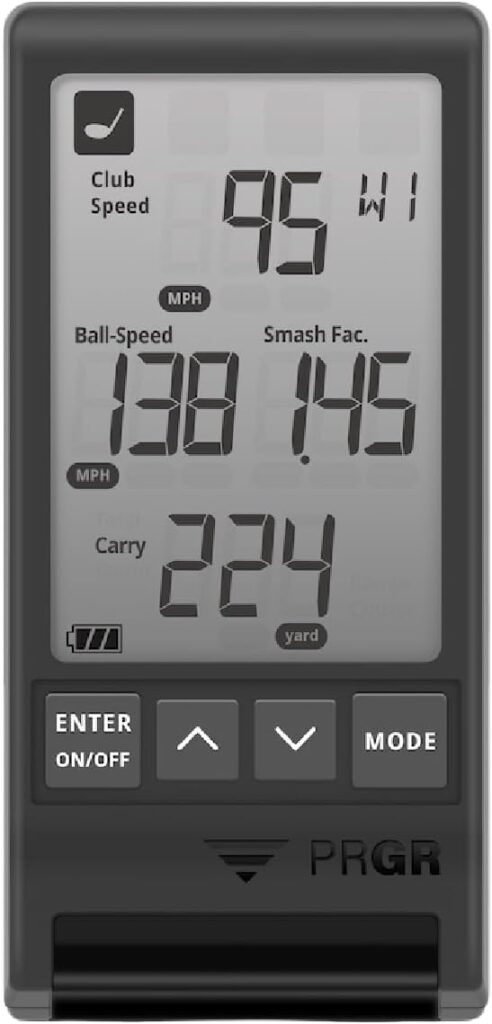
2. PRGR Portable Launch Monitor
Best budget option under ~£200.
Pros:
-
Very accurate ball & club speed readings
-
Simple, lightweight, no app required
-
Great for speed-training (Stack System compatible)
Cons:
-
No spin data
-
No simulator mode
-
Limited metrics
👉 PRGR Launch Monitor on Amazon: https://amzn.to/4r9yh0H
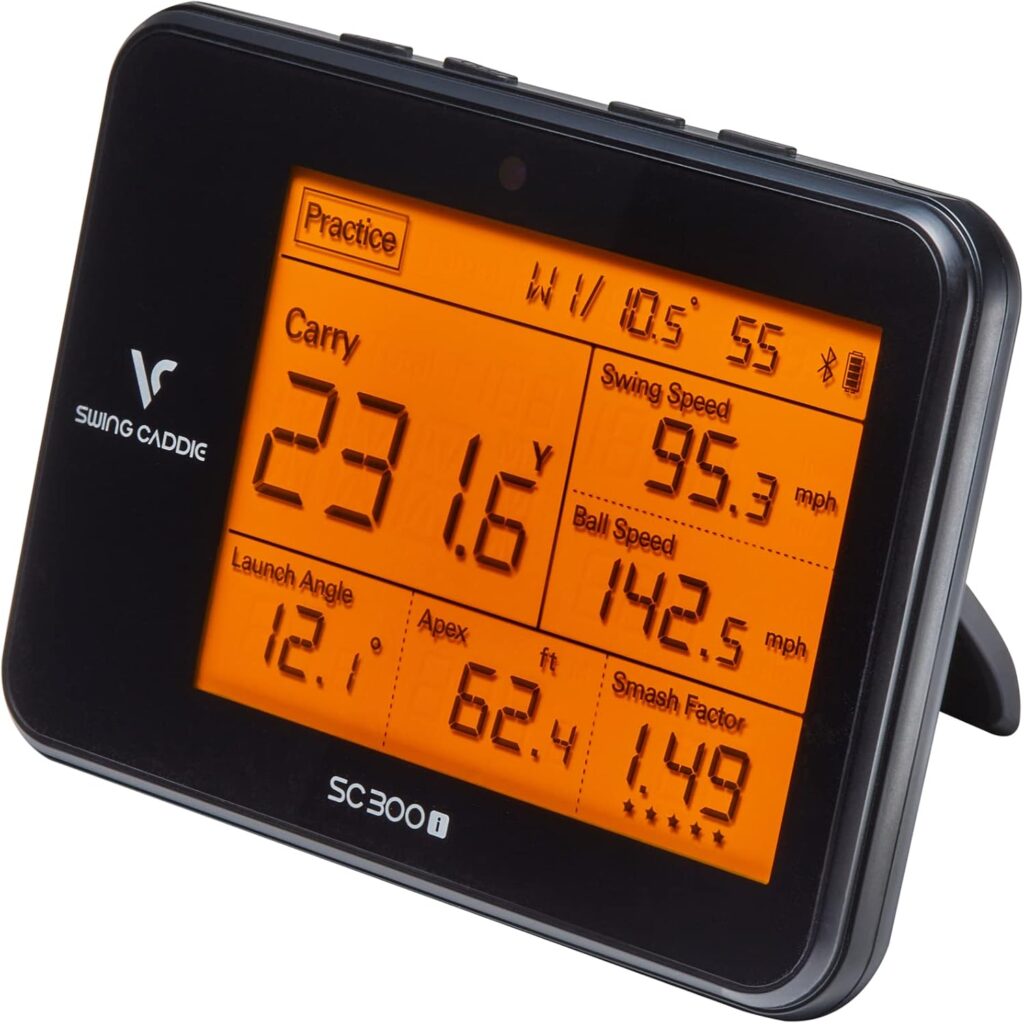 3. Voice Caddie SC300i
Best “middle ground” between PRGR and R10.
Pros:
-
Tracks carry distance, spin, launch angle, ball speed
-
Clear LCD screen
-
Decent indoor performance
-
Voice feedback
Cons:
-
No club-path metrics
-
Limited simulator support
👉 SC300i on Amazon: https://amzn.to/47Tm2xL
 4. Garmin Approach G80
A hybrid GPS device + launch monitor.
Pros:
-
Built-in GPS handheld for course play
-
Integrated launch monitor
-
Brilliant for players who want GPS + practice tool in one
Cons:
-
Simpler launch-monitor metrics
-
Not as advanced as the R10 for swing analysis
👉 Garmin G80 on Amazon: https://amzn.to/3X9qJ09
Which Launch Monitor Should You Choose?
Best for full data + simulator use:
⭐ Garmin Approach R10
The most complete feature set for the price.
🔘 Buy Now on Amazon → https://amzn.to/4pk90Pv
Best on a tight budget:
⭐ PRGR Launch Monitor
Fast, accurate, value-packed.
🔘 Buy PRGR → https://amzn.to/4r9yh0H
Best mid-range option:
⭐ Voice Caddie SC300i
Simple, easy, reliable.
🔘 Buy SC300i → https://amzn.to/47Tm2xL
Best GPS + monitor combo:
⭐ Garmin G80
Perfect if you want an all-in-one device.
Garmin G80 GPS + Launch Monitor
🔘 Buy G80 → https://amzn.to/3X9qJ09
Final Verdict
The Garmin Approach R10 is one of the best value launch monitors available today. With club path metrics, simulator support, and a highly polished app, it offers nearly “premium-level feedback” for a fraction of the price. Whether you’re building a home golf simulator, training indoors through winter, or simply want more productive range sessions, the R10 is a superb choice.
How to Set Up the Garmin Approach R10 (Correctly)
Getting accurate numbers depends on proper placement. Here’s the quick setup checklist:
1. Charge fully & update the firmware
Use the Garmin Golf app to ensure it’s running the latest software.
2. Place the R10 behind the ball
-
Position 1.8–2.4 metres (6–8 ft) behind the ball.
-
Ensure the unit is directly in line with the target line.
3. Use a flat, level surface
Uneven mats or sloping grass will distort radar tracking.
4. Give the radar space
Avoid walls, metal objects, heaters or reflective surfaces directly behind the unit when indoors.
5. Indoors only:
-
Minimum 8 ft ball-to-net
-
Minimum 6–8 ft R10-to-ball
-
Check that lighting doesn’t cast flickering shadows.
6. Align the red indicator with your target
Small misalignments cause big dispersion errors.
7. Connect your phone and start the session
Use the swing-recording feature for maximum feedback.
When set up correctly, the R10 is impressively accurate for its price range.